THE WHOLE BUSINESS. WORKING TOGETHER.
Win the job.
Run the crew.
Protect the profit.
Less chasing leads. Fewer costly surprises. One connected workspace for every customer, crew, material order, and payment—from the first click to the final invoice.
Turn website visitors into your next job.
Give homeowners a useful first answer while the project is on their mind. The estimator captures the property and creates a qualified next step.
- Collect address, approximate area and project details together.
- Show a preliminary estimate based on your configured rates.
- Move qualified homeowners into customer-selected site visits.
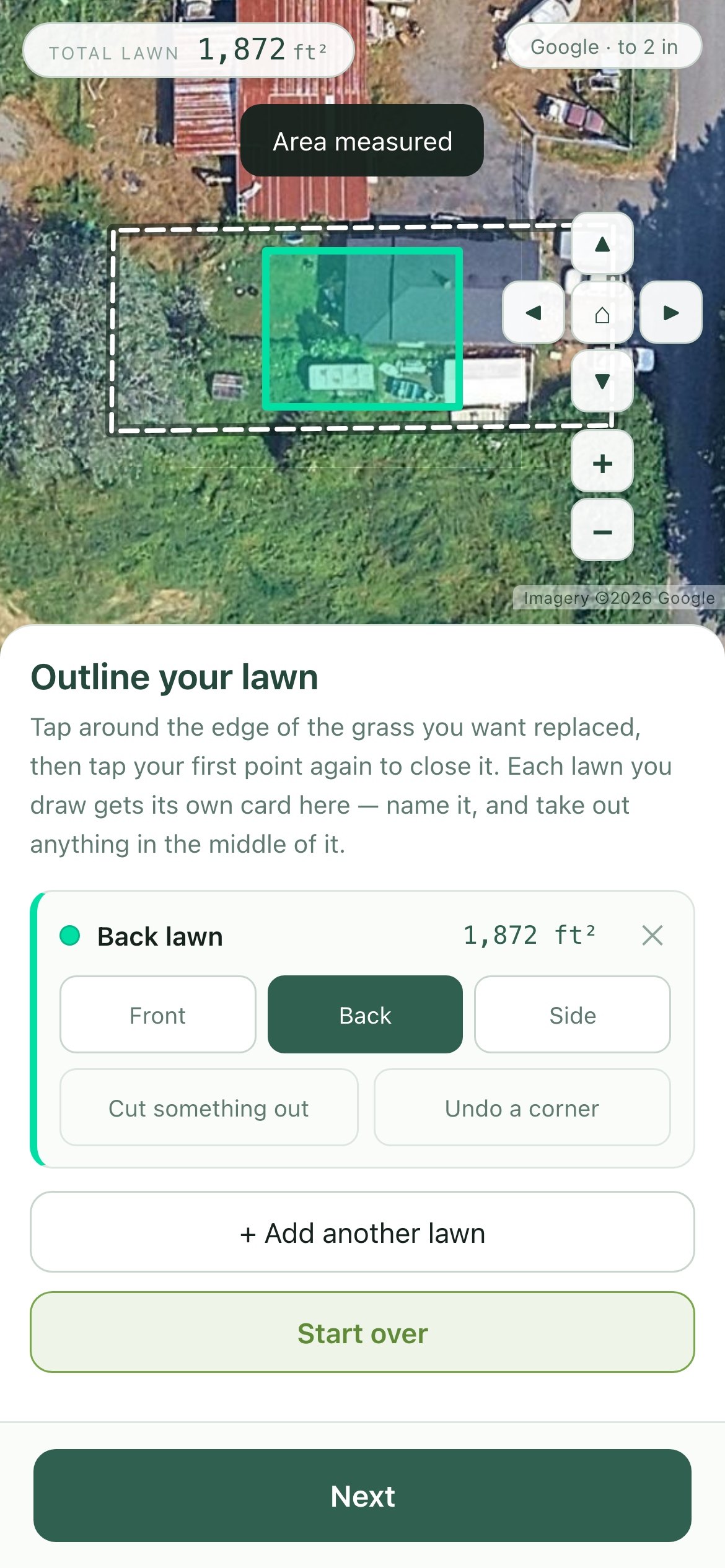
Actual Pristine estimator capture · August 2026
A control panel that moves work forward.
Keep customer history, property details and job context in one place—then surface the action that will keep each opportunity moving.
- Prioritize quote follow-ups, blocked plans and new inquiries.
- Keep calls, photos, measurements and proposals together.
- Give every lead an owner, stage and concrete next action.
Illustrative CRM control panel
Manage the business in natural language.
Ask for a quote, customer detail or follow-up. The assistant uses the connected job context and asks before customer-facing action.
- Use text or voice from the office or field.
- Generate work from approved measurements and company pricing.
- Require explicit confirmation before messages are sent.
Can you please make a quote for the Carter family?
Yes—generating it now from the approved plan.
Ready for [email protected]. Do you want me to send it?
Yes.
Sent and saved to the job record.
Illustrative conversation · sends nothing
Let customers book. Keep control of the day.
Offer times customers can choose while preserving working hours, travel buffers and route logic behind the scenes.
- Set eligible days, hours, notice and appointment length.
- Keep site visits near one another when open times are offered.
- Confirm or reschedule without office phone tag.
Choose a time that fits.
Illustrative booking portal · no appointment is created
Anyone on your team can measure.
Guide a team member around the site with a phone, capture boundaries and exclusions, then review before the result reaches pricing or purchasing.
- Reduce overordering that consumes job margin.
- Avoid shortages, extra driving and unplanned seams.
- Remove the bottleneck of one trusted field measurer.
Illustrative phone workflow · results require site review
Make the tricky layout visible before ordering.
A square-foot number is only the beginning. Plan around irregular boundaries, exclusions, grain direction, seams and usable roll coverage.
- Compare layouts for waste, appearance and installation effort.
- Keep grain direction consistent across every strip.
- Feed reviewed quantities into pricing and purchasing.
Illustrative geometry, not a calculated production takeoff
Quote, invoice and collect a deposit in the field.
Build the price from the reviewed plan while you are with the customer. Make the scope clear and turn approval into an immediate commitment.
- Use company labor, material, minimum and margin rules.
- Show clear scope, choices and revision history.
- Capture approval and a supported deposit on site.
A lawn built for everyday life.
Illustrative field quote · no transaction occurs
Keep everyone clear on where to be and what to do.
Coordinate visits, installations, deliveries and return trips while giving crews the complete job context for the day.
- Match people to availability, skills, duration and location.
- Share access instructions, responsibilities and changes.
- See material and preparation dependencies before dispatch.
Illustrative crew schedule
Know what belongs on the truck before it leaves.
Turn the approved job into a practical loading list, including labeled turf cuts, supplies, tools and anything still missing.
- Generate a list specifically for the approved job.
- Separate purchased supplies, stock and reusable equipment.
- Give the yard and crew one packing status.
Interactive local checklist · nothing is saved
Order supplies at exclusive discounted rates.
Order directly from the app with approved quantities, product choices and delivery details already connected to the job.
- Start with the reviewed material plan instead of rebuilding a list.
- Use eligible distributor pricing and see applicable terms.
- Coordinate availability and delivery before crew dispatch.
Illustrative order · products, regions and terms may vary
Finish the job. Collect payment on site.
Keep deposits, invoices and final balances connected to the approved work, with payment status visible to the office and field.
- Request deposits and milestone payments from the proposal.
- Collect in the field through a supported payment provider.
- Track receipts, balances, refunds and approved changes together.
Illustrative invoice · no payment processing
See what needs attention—and what each job earns.
Bring pipeline, schedule, materials and money into one useful view. Compare quoted and actual costs so the next job benefits from the last.
- See leads, work, deliveries and outstanding invoices.
- Compare planned materials and labor with actual job costs.
- Understand gross profit and margin before overhead and tax.
Where the revenue went
Sample figures · gross profit before overhead and tax
ONE CONNECTED JOB RECORD
See the complete workflow
with your team in mind.
Walk through how Turf IQ can fit the way you sell, plan, install and get paid.